AI should remove work without removing control.
LOADLESS handles what it can and stops where your judgment is required. Escalations is one screen for everything waiting on a person, sorted by four tiers.
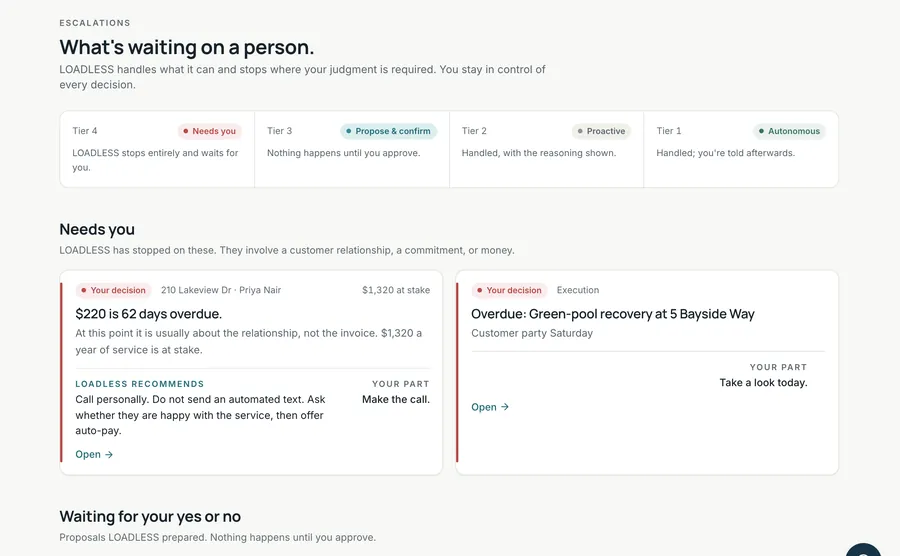
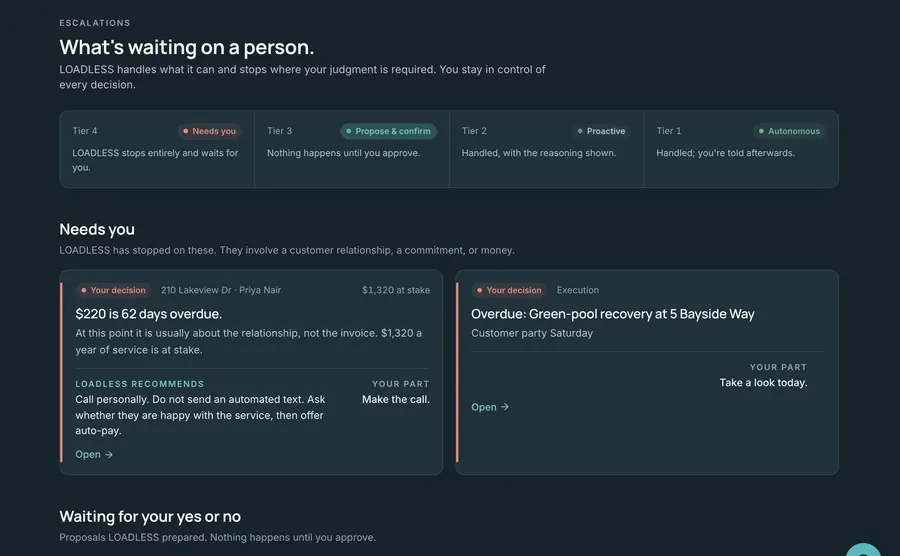
Four tiers. Nothing ambiguous.
Every item carries a tier that says how far LOADLESS may go. Anything involving a customer relationship, a commitment or money waits for you. The same tiers appear on the Daily Brief, on Escalations and on every screen behind them.
LOADLESS stops entirely and waits for you.
A customer relationship, a commitment or money is on the line.
- A payment 60+ days late: "Call personally. Do not send an automated text."
- A weekly customer with no visit logged in 14+ days
- A critical task past due, or a chemical below minimum stock
Nothing happens until you approve.
LOADLESS prepares the action and the reasoning. You say yes or no.
- A payment reminder at 30–59 days late
- Follow up on a quote waiting on the customer
- Reorder liquid chlorine below minimum stock
Handled, with the reasoning shown.
Routine work, usually routed to the crew, with the "why" attached.
- High algae risk on the latest test: make sure the route tech sees it
- Corrosive water flagged for the next visit
Handled; you're told afterwards.
No risk to a customer, a commitment or money.
- A payment 15–29 days late goes on watch
- A heater nearing its warning age goes on watch
One switch stops every background check and anything that would run on its own. A banner stays up until you resume.
Approvals, denials, pauses and anything run automatically are written down, with an "Auto:" prefix when LOADLESS acted.
"Not the right time", "Cost is too high", "Don't agree with the reasoning". Your reasons shape what it proposes next.
Written the way an experienced operator would say it.
- State tag, subject and what's at stake. "Your decision · 210 Lakeview Dr · Priya Nair · $1,320 at stake"
- What happened. "$220 is 62 days overdue."
- Why it matters. "At this point it is usually about the relationship, not the invoice."
- LOADLESS recommends. "Call personally. Do not send an automated text."
- Your part. "Make the call." When it's "None", you see a check mark.
The approval queue
Proposals wait for your Approve or Deny. Each shows the action in plain words, its category (Revenue, Inventory, Staffing, Pricing, Compliance, Marketing, Equipment, Operations or Decisions), the reasoning built from the rows that triggered it, the expected outcome and a risk level. A reorder is Low risk, Medium over $500 and High over $1,000. Where you've saved a house rule in Memory, a note from it can appear on the card.
Automation settings
| Setting | What it does | Default |
|---|---|---|
| Autonomous mode | Runs the background review that fills the queue. Off: no reviews, nothing carried out on your behalf. | On |
| Bulk auto-execute | Approves and runs Low-risk proposals. Medium and High still come to you. | Off |
| Confidence threshold | A slider from 50% to 95% that sets how sure LOADLESS must be. | 80% |
The background review runs while Escalations or Automation is open in a browser. Settings are stored on the device where you set them.
Questions about control
What happens when I approve a proposal?
Your decision is written to the activity log and the card leaves the queue. Approving does not send texts, place orders or sync your books today; those connections are not built. The follow-up itself is done by you or your office, and LOADLESS stops it from being forgotten.
Can LOADLESS act without me?
Only within Tier 1 and Tier 2, which cover reading, sorting, watching and routing routine items to the crew with the reasoning shown. Proposals act on their own only if you switch on bulk auto-execute, and then only Low-risk ones.
What does denying do?
You pick one or more reasons (not the right time, cost too high, don't agree with the reasoning, need more information, prefer a different approach) and add a note if you like. The same proposal is not raised again within an hour of a decision.
How do I stop everything?
Pause automation. Type PAUSE to confirm. Background checks stop, anything that would run on its own halts, the queue freezes and a banner stays on every screen until you resume.
Put the load down.
The goal isn't more software. It's less work sitting in your head after the route.